Kha Y Tran
 Wuthering Waves 3.7 adds a new resource system. It gives players full control over file size and visuals. Before this, everyone downloaded one massive game file. Now, players can choose between three packages: UHD, HD, and SD.
First, this system cuts down on wasted downloads. In addition, it helps the game run much better on weaker hardware. Therefore, you can pick the exact package that fits your setup.

What Are UHD, HD, and SD in Wuthering Waves 3.7?
In the past, players had to download everything at once. Then, they adjusted visual settings inside the menu.
However, this method wasted storage. For example, mid-range PCs could not run top settings. Still, they had to store heavy 4K files.
To solve this, the game now splits resources into three tiers:
- UHD: First, this tier offers top visual clarity. It includes high-end textures.
- HD: Next, this package balances visual quality and smooth performance.
- SD: Finally, this option cuts file sizes for budget devices.
Overall, storage needs drop steadily from UHD to SD. Furthermore, each tier changes model detail, video bitrates, and supported resolutions.
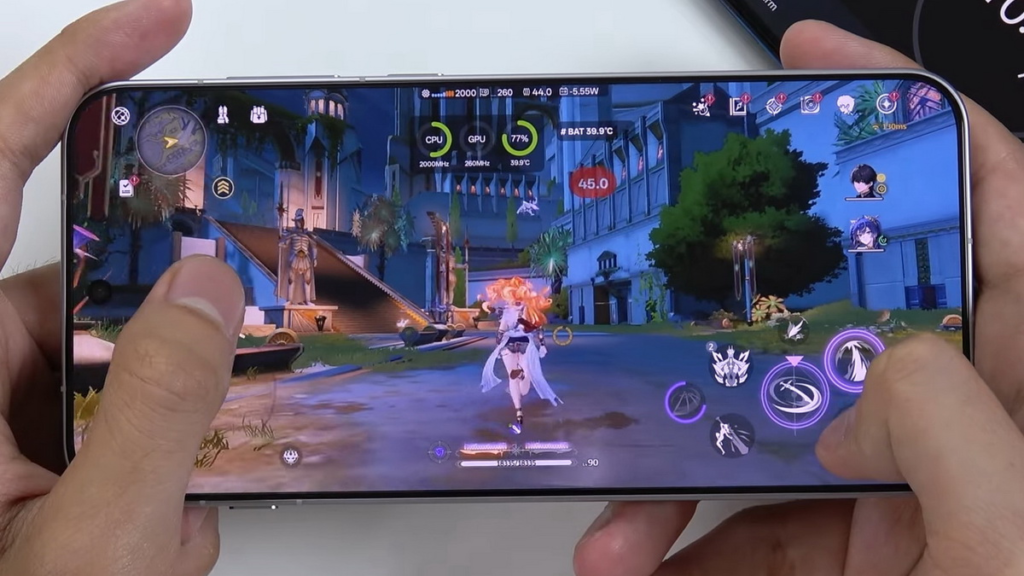
Which Platforms Support Wuthering Waves UHD, HD, and SD?
The new resource system will initially support PC and mobile devices. However, the available packages are different on each platform. On PC, players can choose from UHD, HD, and SD. In addition, PC players can install all three packages at the same time.
However, only one package can run at a time. Therefore, installing all three does not mean that the game can use them simultaneously. Meanwhile, iOS and Android devices support HD and SD. Each mobile device can install only one package at a time.
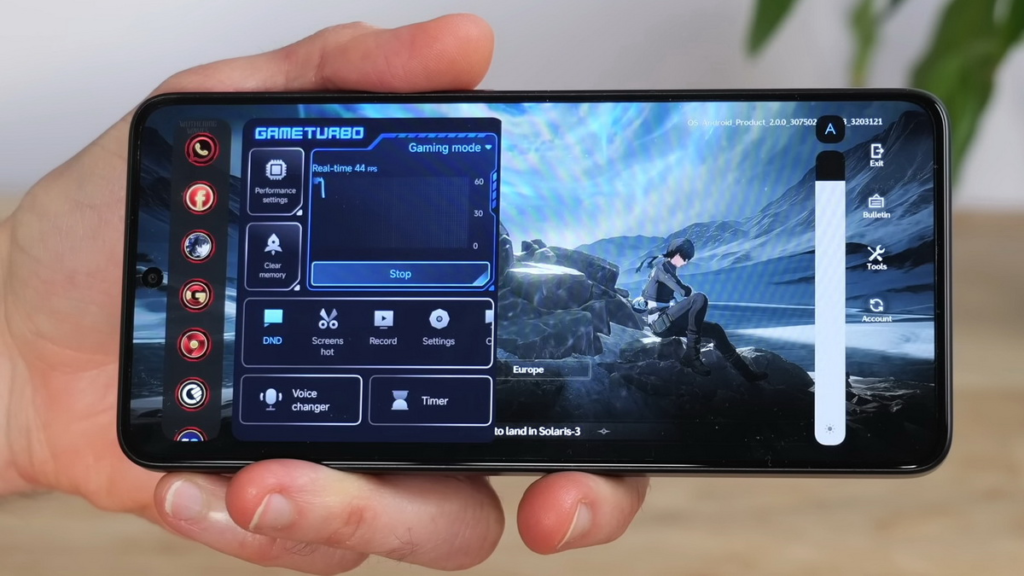
Furthermore, some mobile devices may only support SD because of hardware limitations. This approach should help maintain a smoother experience on weaker devices.
On the other hand, platforms that do not support the new resource system, such as PlayStation and Xbox, will use the HD package when the feature launches.
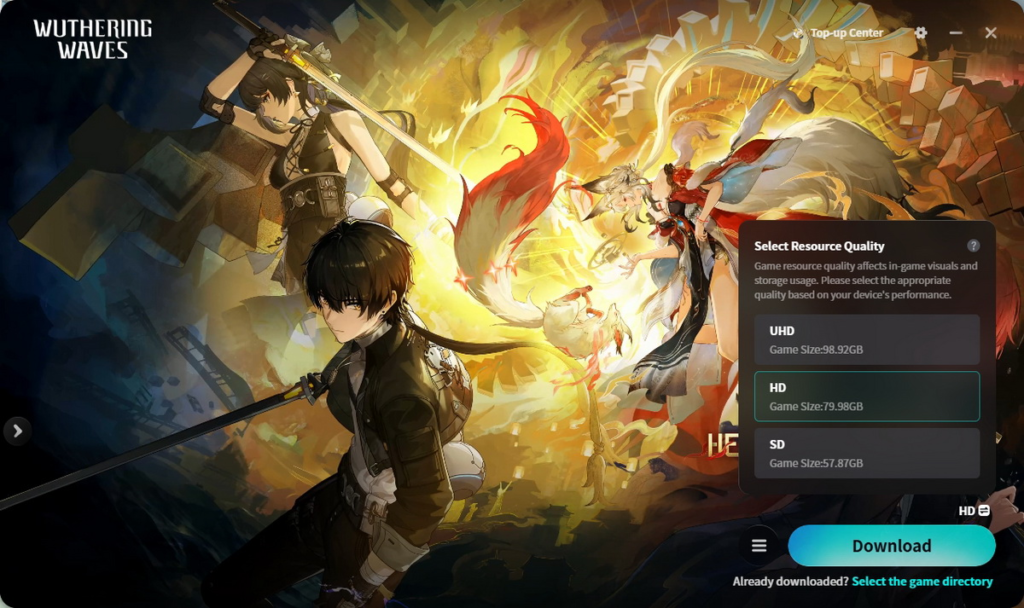
How to Download Wuthering Waves UHD, HD, or SD
The download process is different between PC and mobile. Therefore, players should follow the steps for their platform.
PC
First, PC players can choose their preferred package through the official Kuro Games launcher. However, this feature is not available for versions downloaded from other stores, such as the Epic Games Store.
In addition, players can install all three packages on the same PC. Afterward, they can switch between them whenever needed.
Still, the game can only run one package at a time. Therefore, players should select the package they want to use before launching the game. Moreover, players who want to remove a package must select that specific resource level before uninstalling it.
iOS and Android
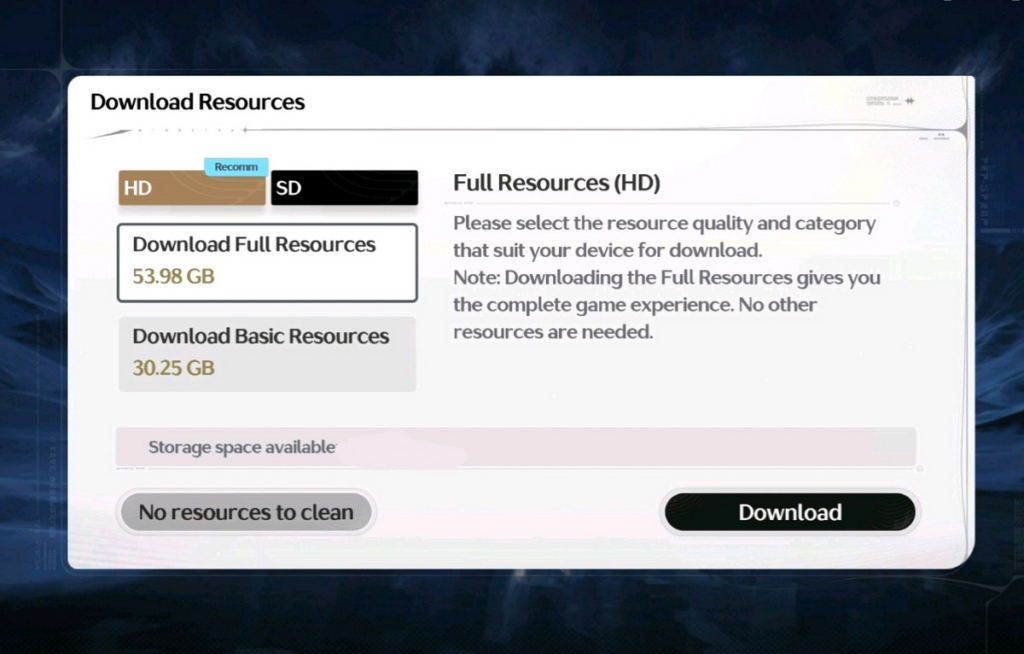
On mobile, the process is slightly different. First, open the Download Resources menu and choose the desired package.
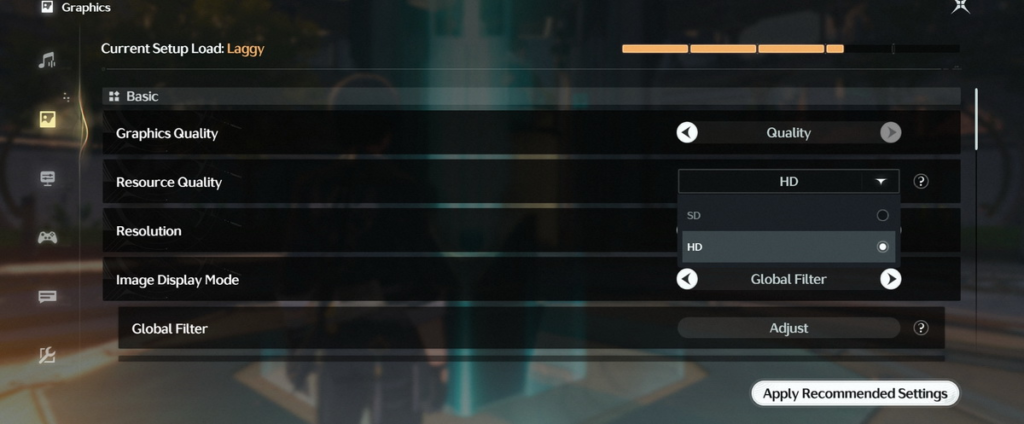
After that, players can change the resource level through:
Settings > Graphics > Resource Quality
However, switching between HD and SD requires additional downloads. Specifically, the game downloads the difference between the two resource packages. As a result, players should make sure they have enough storage and mobile data before changing versions.
Wuthering Waves 3.7 System Requirements
Because each package targets a distinct performance tier, picking the right version is essential for optimal gameplay.
PC Requirements
- UHD Package:
- CPU: Intel i7-12700 / AMD Ryzen 7 7700
- GPU: RTX 4080 / RX 7900 XT
- RAM: 32GB
- Target Resolution: 3840 × 2160 (4K)
- HD Package:
- CPU: Intel i7-9700 / AMD Ryzen 7 3700X
- GPU: RTX 3060 / RX 6700 XT / Arc B580
- RAM: 32GB
- Target Resolution: 2560 × 1440 (2K)
- SD Package:
- CPU: Intel i5-9400 / AMD Ryzen 7 2700
- GPU: GTX 1060 / RX 570 / Arc A380
- RAM: 16GB
- Target Resolution: 1920 × 1080 (FHD)
Accordingly, enthusiasts with top-tier rigs can target UHD without compromise. On the other hand, mainstream mid-range setups will perform best on HD, whereas budget or older builds should stick to SD.
iOS Requirements
Similarly, mobile recommendations correspond to chip tiers:
- For HD: iPhone 14, iPad mini (6th Gen), or devices equipped with an Apple A15 Bionic chip and 6GB RAM.
- For SD: iPhone 11, iPad (9th Gen), or devices running an Apple A13 Bionic chip with 4GB RAM.
Android Requirements
Android devices follow a comparable split:
- For HD: Flagship processors such as Snapdragon 8 Gen 1, Dimensity 9000, Kirin 9010, or Exynos 2200 paired with 8GB RAM.
- For SD: Legacy or mid-range silicon including Snapdragon 855, Dimensity 1000, Kirin 980, or Exynos 9820 with 6GB RAM.
Wuthering Waves UHD vs HD vs SD: Storage Size
Aside from performance, file size represents the most tangible difference across packages.
PC Storage Footprint:
| Version | Without Cutscenes | With Cutscenes | Target Resolution | Preset Graphics Tier |
| UHD | 99 GB | 128 GB | 3840 × 2160 | Ultra High |
| HD | 80 GB | 97 GB | 2560 × 1440 | High |
| SD | 58 GB | 70 GB | 1920 × 1080 | Balanced |
Mobile Storage Footprint:
| Version | Without Cutscenes | With Cutscenes |
| HD | 40 GB | 53 GB |
| SD | 35 GB | 43 GB |
(Note that these values are preliminary estimates; hence, exact storage footprints may fluctuate upon the final deployment of Version 3.7).
Key Differences Between UHD, HD, and SD
Beyond footprint savings, these packages directly dictate your visual experience in two major ways:
- Preset Graphics Ceiling: The flagship “Ultra Quality” toggle is exclusive to the UHD pack. Therefore, PC players aiming for peak visual fidelity must install UHD.
- Media Bitrates: Cutscenes and pre-rendered cinematics use variable bitrates across tiers. Consequently, cinematic playback will appear noticeably crisper on UHD compared to SD.
Initially, PC players outside the early testing group will default to the standard HD package after patching. Subsequently, once full access unlocks, players can opt into downloading the UHD pack at will.
Which Wuthering Waves 3.7 Version Should You Choose?
Ultimately, your decision comes down to hardware capabilities and disk headroom:
- Go with UHD if you possess a high-end desktop, a 4K monitor, and ample SSD space, as this delivers the purest visual presentation.
- Opt for HD if you run a standard mid-range desktop or a modern flagship phone, since it strikes the ideal balance between performance, visual crispness, and file footprint.
- Stick with SD if your machine has limited storage or aging hardware—particularly on budget laptops and older mobile devices.
In summary, this modular system offers players far greater freedom. Rather than hoarding gigabytes of unrenderable assets, everyone can tailor their installation to fit their exact device. Looking forward, Kuro Games will continue refining this architecture in response to community feedback.
Read more:
The Isle Guide: How to Survive Your First Run
Vesna: How to Build the New Anemo DPS
#WutheringWaves #KoruGames #GamePC